 Aphelion
v0.1.2 · Python 3.11+ · Windows, macOS, Linux
Aphelion Editor — a node-based video compositor for the desktop
Aphelion Editor is a node-based video compositor and video editor for desktop workflows. It is written in Python, runs on Windows, macOS and Linux, ships a Windows installer, and can be extended with custom video-effect nodes written in Python.
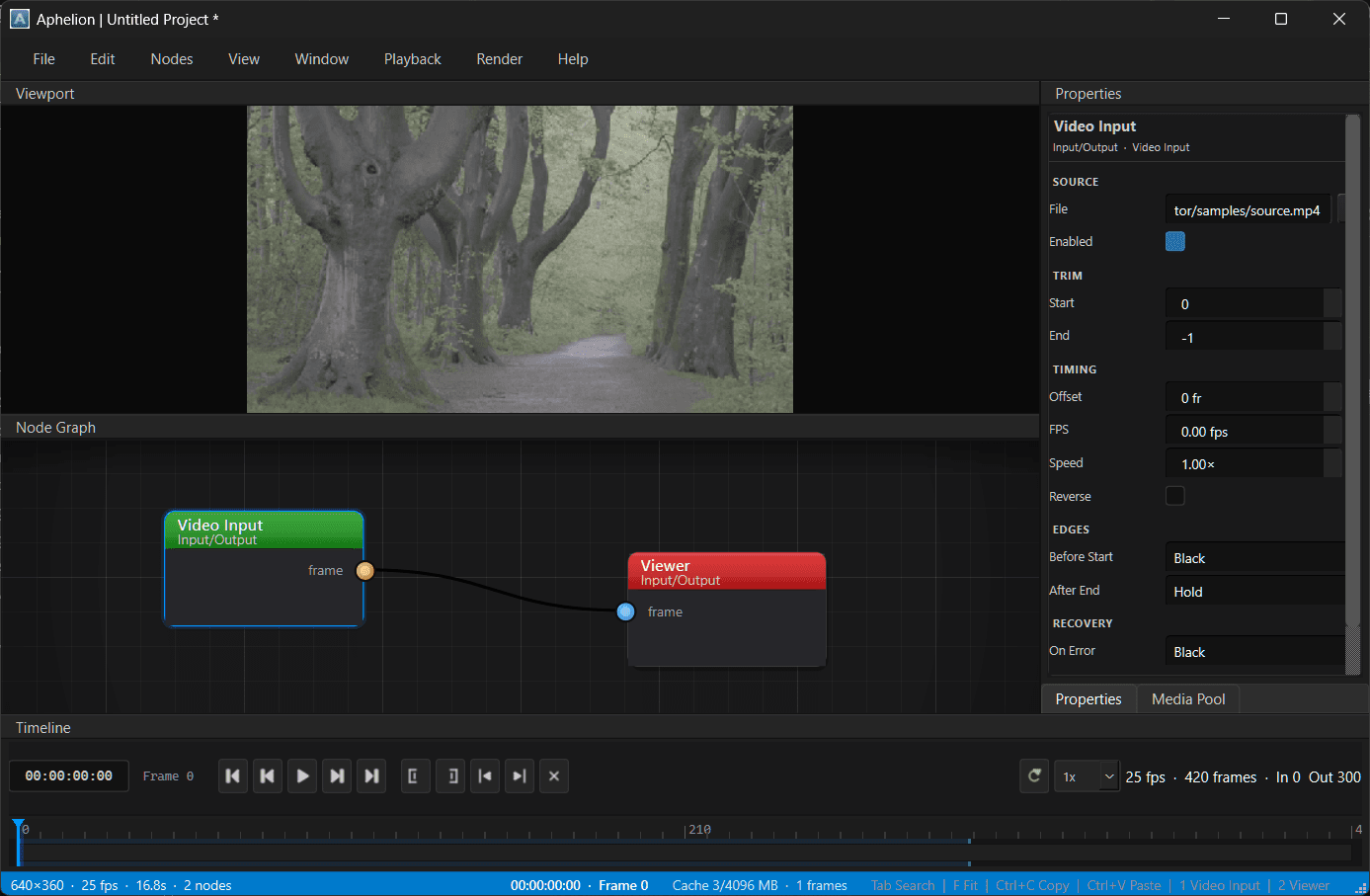
What Aphelion Editor is
- What is Aphelion Editor?
- A desktop video compositor and editor built around a node graph. You bring media in, wire operations together, and view the result through a Viewer node.
- What does it run on?
- Windows, macOS and Linux. The Windows installer is published on GitHub releases; macOS and Linux run from a Python 3.11+ checkout.
- What can it do?
- Node compositing, colour correction, chroma keying, rotoscoping, point and planar tracking, transforms and distortions, proxy preview and frame caching, and MP4 or PNG sequence export — 172 built-in nodes across 21 categories.
- Can I extend it?
- Yes. The plugin SDK lets you write custom video-effect nodes in Python and drop them into the editor, where they appear alongside the built-in nodes.
- Is it free to use?
- That depends on what you intend to do — the licence terms are declared in each package's
pyproject.tomland summarised on the about page.
Capabilities
All features in detailThe user guide covers the workspace and shortcuts, and the plugin docs cover writing nodes.
- Node graph
- 172 built-in nodes covering input, generators, color, filters, compositing, transform, keying, roto, tracking, timing, distort, stylize and math.
- Preview
- Decode-time proxy defaults to 960px, with an optional 640px playback proxy. Frames are cached and prefetched, and heavy work runs off the UI thread.
- Color
- Grading, exposure, hue/saturation, white balance, levels, vibrance, shadows/highlights, monochrome, posterize and creative looks.
- Keying and roto
- Chroma key, matte edge, spill suppression, bezier roto shapes, point and planar tracking, and corner pin.
- Timeline
- In/out points, playback and keyframed properties. A new project starts at 1920×1080, 30 fps, 10 seconds.
- Export
- MP4 (H.264) or a PNG sequence from whichever Viewer is active. Encoder selection prefers a GPU encoder when the bundled FFmpeg offers one.
- Projects
- `.aph` files are JSON. Autosave starts once the project has a path on disk.
- Plugins
- Drop-in `aphelion_sdk` modules or wheels, enabled, disabled and reloaded from Preferences → Plugins.
- Node-based compositingHow the graph is evaluated, cached and previewed.
- Tracking and match movePoint tracking, planar tracking, corner pin, and track recovery.
- Chroma keyingExtract a matte, refine its edges, and combine mattes.
- Colour correctionPrimary correction, tonal control and grading looks.
- Rotoscoping and masksAnimated Bezier shapes and shape tracking.
- PluginsAdd your own nodes in Python.
Writing nodes
A plugin is a Python class that imports aphelion_sdk and returns a modified frame. Drop the file in plugins/ and it appears in the node list with its own inspector properties. Plugins are enabled, disabled and reloaded from Preferences, under Plugins, without restarting.
The SDK ships video effect bases. Audio plugin bases are not available yet.
import aphelion_sdk


@aphelion_sdk.register_plugin
class GrayscaleEffect(aphelion_sdk.VideoEffectPlugin):
    plugin_name = "Grayscale"

    def setup_effect_properties(self) -> None:
        self.set_property(
            "amount",
            aphelion_sdk.slider_property(100, 0, 100, label="Amount", suffix="%"),
        )

    def process_frame(
        self,
        frame: aphelion_sdk.Frame,
        _frame_num: int,
    ) -> aphelion_sdk.Frame:
        amount = self.float_value("amount", 100.0) / 100.0
        luma = (
            frame[..., 0] * 0.2126 + frame[..., 1] * 0.7152 + frame[..., 2] * 0.0722
        )
        gray = luma[..., None].repeat(3, axis=2)
        return frame * (1.0 - amount) + gray * amount
Project status
Version 0.1.2. The points below are worth knowing before installing.
- Version 0.1.2. Expect rough edges, and APIs that can still move before 1.0.
- The installable MSI is Windows only. macOS and Linux run from a Python checkout.
- The plugin SDK covers video effects. Audio plugin bases are not shipped yet.
Free to try. One license for everything.
Aphelion Editor is free to download and use for a seven-day trial. After that, it asks you to purchase a license, but it does not lock you out or disable your work. The model is intentionally closer to Reaper or WinRAR than a hard stop.
A single lifetime Aphelion license covers Aphelion Editor and all current and future Aphelion software. There is no recurring subscription for the license.
Read the licensing details and purchase- Download
- Install Aphelion Editor and explore the complete node-based compositor.
- Seven days
- Use the editor normally. The trial reminder appears after seven days.
- Own the suite
- Purchase one lifetime license and redeem it once for each Aphelion product you use.
Get Aphelion Editor
The Windows installer bundles the plugin SDK. On macOS and Linux, install from a checkout of the repository.
Source and releases
The source is on GitHub at aphelion-engine/aphelion-editor. Release builds and their notes are on the releases page.